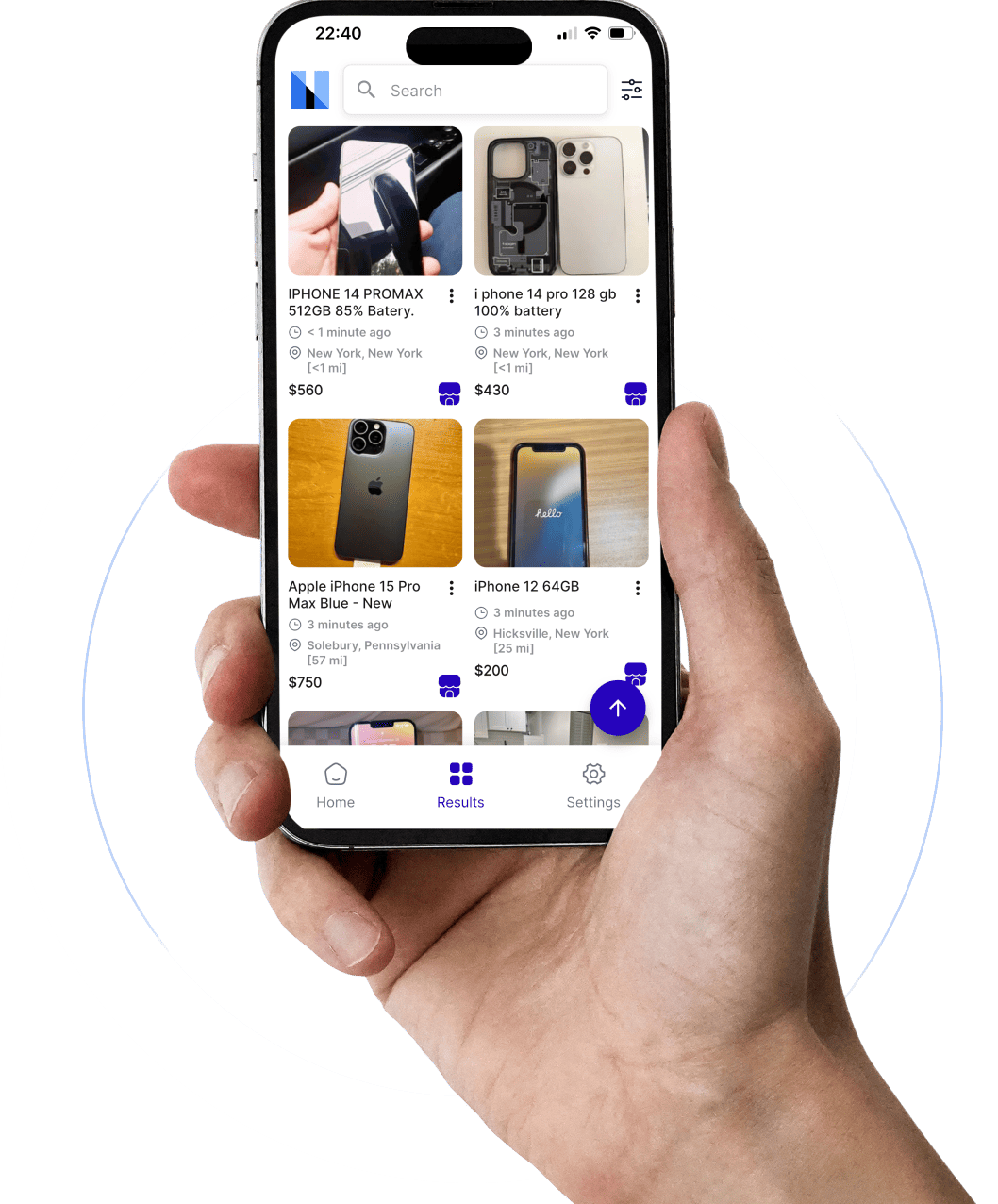
Your Android phone has superpowers it doesn't know about yet. Let's wake them up.
📑 What's Inside This Guide
- Why Marketplace Alerts Matter More Than Ever in 2026
- Why Android Users Have a Major Advantage
- How Facebook Marketplace Alerts Actually Work
- How to Enable Marketplace Alerts on Android
- Why Alerts Sometimes Arrive Late
- Best Marketplace Alert Apps for Android in 2026
- Advanced Alert Strategies
- How Resellers & Flippers Use Alerts
- Common Mistakes That Kill Deals
- Conclusion
- FAQs
There's a weird little moment that happens on Marketplace almost every day. You open the app, spot the exact item you wanted, tap the listing with that spike of excitement in your chest… and there it is:
"Pending Pickup."
Or the even more brutal version: "Sold."
Posted twelve minutes ago. Twelve. That's barely enough time to microwave leftover rice, and somebody already drove across town and picked it up.
Welcome to Facebook Marketplace in 2026 — a place where the difference between "great deal" and "what deal?" is measured in single-digit minutes. Underpriced gaming PCs vanish before lunch. Cheap iPhones attract a swarm of messages so fast the seller's phone sounds like a slot machine. Used cars with clean titles? Forget about it. The first buyer who says "cash today" wins.
And here's what makes it sting — the people consistently grabbing those deals aren't manually refreshing the app like you are. They've got systems running. Facebook Marketplace alerts, saved searches, real-time monitoring tools, Android notification wizardry — their phones are basically working part-time jobs they didn't apply for.
The genuinely good news? Android users have an edge most people don't even know about. Your phone gives you deeper control over push notifications, background app behaviour, battery optimisation, and automation than most platforms. When configured properly — and I mean actually properly, not just the default settings — your Android becomes a live Marketplace scanner sitting in your pocket all day.
According to Facebook's official Marketplace Help Center, users can manage notifications through saved searches and in-app settings. The problem? Consistency. Native alerts often arrive late, especially during peak activity. That inconsistency is exactly why third-party tools like Marketplace Monitor exploded in popularity among serious buyers.
Once you understand how fast Marketplace actually moves behind the scenes, you'll never look at it the same way again. It's like finding out the "casual" poker game you've been playing is actually a tournament, and everyone else has been counting cards.
Why Facebook Marketplace Alerts Matter More Than Ever in 2026

A few years back, Marketplace felt like a digital garage sale. People listed old furniture, random electronics, maybe a bike they'd ridden twice. Listings stayed up for days. Sometimes weeks. You could browse after dinner and still find decent stuff sitting there like it was waiting for you personally.
That era is dead. We held a small funeral for it. There were no flowers.
Marketplace evolved into one of the largest real-time local commerce ecosystems on the internet. Millions of users now use it daily for electronics flipping, used car sourcing, sneaker reselling, furniture arbitrage, appliance resale, gaming console flipping, and general deal hunting.
And because so many people are actively monitoring listings now, competition became genuinely brutal. A clean-condition iPhone listed below market price? Gone before you finish reading this sentence. A lightly used PS5 at a fair price? Buried under forty messages within minutes. A profitable flipping opportunity? Usually claimed before most people even open the app.
The biggest misconception casual users still carry around is thinking everyone sees listings at roughly the same time. That hasn't been true for years. Some users are running:
- Real-time Marketplace bots and scrapers
- Instant Telegram notification systems
- Android overlay alerts
- Multi-platform keyword monitors across eBay, Craigslist, and OfferUp
- AI-powered filtering tools
Meanwhile, the average user is manually refreshing Facebook while eating lunch and wondering why everything good is already sold.
According to research covered by Carsnip's marketplace analysis, competitive listings can receive inquiries within minutes of being published. In fast-moving categories like cars, gaming PCs, and Apple devices, even a short notification delay completely changes who wins.
Why Android Users Have a Major Marketplace Advantage
Here's something most Android users never realise — your phone is actually better at this than an iPhone. Not in a fanboy way. In a very practical, "I can configure things Apple won't let me touch" way.
Android gives you deeper control over:
- Background app permissions — choose exactly which apps stay awake
- Battery optimisation per app — exempt Facebook from aggressive power saving
- Floating notification windows — see alerts without leaving your current app
- Notification priority channels — rank Marketplace alerts above everything else
- Automation integrations — Tasker, IFTTT, and custom workflows
- Custom sounds and vibration profiles — train your brain to recognise deal alerts
That may sound techy, but here's the practical version: Android users can receive Marketplace alerts faster and more reliably — if they configure things properly. And that "if" is doing a lot of heavy lifting, because most people never touch these settings.
Think of your phone like a security guard at a building. If Android aggressively puts Facebook to sleep to save battery — which it does, enthusiastically — your alerts get delayed because the app isn't "watching the door." But give Facebook unrestricted background access, and notifications arrive dramatically faster.
This advantage becomes especially powerful for anyone doing furniture flipping, electronics sourcing, car flipping, or any kind of regular deal hunting. Some advanced users even connect monitoring tools to Telegram or smartwatch alerts so they get pinged before they even pick up their phone.
Sounds excessive? Sure. Until you realise profitable deals disappear in under ten minutes. Then it sounds like common sense.
How Facebook Marketplace Alerts Actually Work
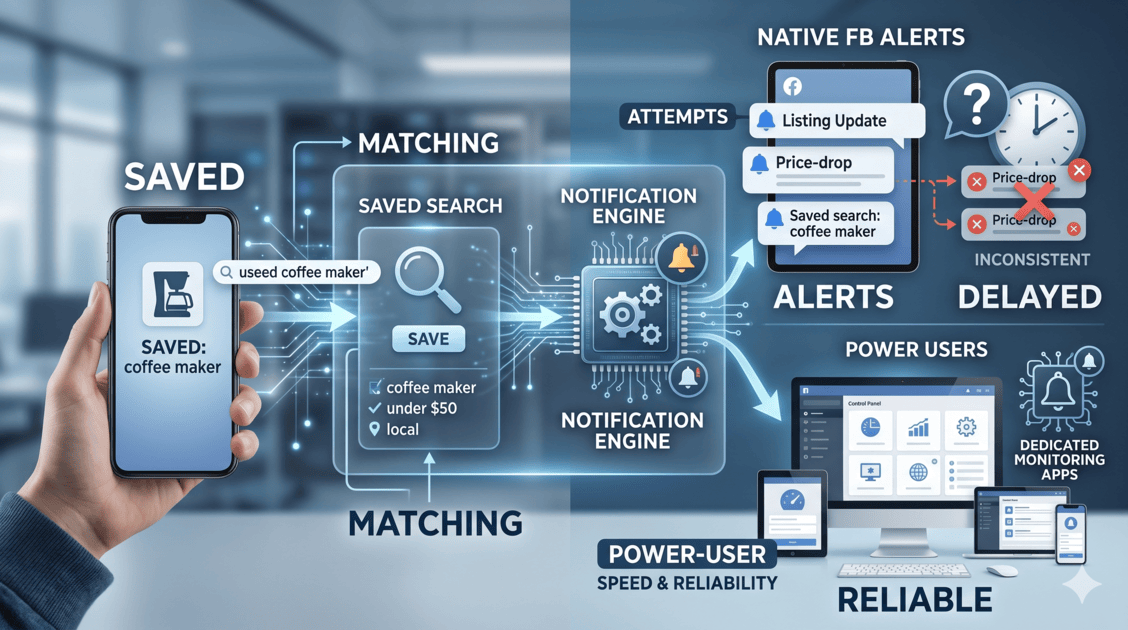
A lot of people assume Marketplace alerts work like stock-market notifications — instant, precise, no-nonsense. They don't. Not even close.
Facebook uses a saved-search notification system. You search for something, save that search, and Facebook attempts to notify you when new listings match your criteria.
Key word there: attempts.
Sometimes alerts arrive in seconds. Sometimes they stroll in twenty minutes later like they stopped for coffee on the way. Occasionally they don't show up at all, and you just have to assume they got lost and started a new life somewhere.
According to Facebook's official notification documentation, users can enable Marketplace recommendations, saved search notifications, seller activity alerts, listing updates, and price-drop notifications. That works fine for casual buyers. But power users need more speed and consistency than Facebook's system reliably delivers.
Native Alerts vs Real-Time Monitoring — The Honest Comparison
| Feature | 📱 Native Facebook | 🔧 Monitoring Tools |
|---|---|---|
| Notification speed | Variable (minutes to hours) | Usually faster |
| Background scanning | Limited | Continuous |
| Custom filtering | Basic | Advanced |
| Multi-platform tracking | No | Yes |
| Telegram integration | No | Often yes |
| AI filtering / scam detection | Minimal | Advanced |
| Best for | Casual buyers | Resellers & flippers |
That's why experienced users don't choose one or the other — they stack both systems. Facebook saved searches plus Android-optimised notifications plus a dedicated monitoring app. When all three are firing together, the coverage becomes dramatically better than any single approach.
How to Enable Facebook Marketplace Alerts on Android (Properly)
Setting this up takes about ten minutes. The aftermath? Catching deals that the thumb-scroll-and-pray crowd will never even see. Let's do this right — because "right" and "default settings" are two very different things on Android.
Enable Marketplace Notifications Inside Facebook
Open the Facebook app → tap Marketplace → your profile icon → Settings → Notifications.
Turn on:
- ✅ Marketplace alerts
- ✅ Saved search notifications
- ✅ Push notifications
- ✅ Listing updates
- ✅ Marketplace messages
This is covered in Facebook's official Marketplace Help documentation. The critical toggle here is Saved Search notifications — without it, Facebook sends you generic "recommendations" instead of targeted alerts. And generic recommendations are the notification equivalent of junk mail. Nobody asked for them. They arrive anyway.
Fix Android Battery Restrictions (This Is the Big One)
Android aggressively manages battery life. On Samsung, Xiaomi, Vivo, Oppo, OnePlus, and Huawei devices, the system often throttles Facebook's background activity automatically — without telling you.
This single toggle can transform your notification consistency overnight. Without it, Facebook enters what I like to call "digital hibernation" — technically alive, functionally useless. Your alerts get delayed because the app isn't actively running in the background.
Enable Background Activity Permissions
Now go deeper:
- ✅ Background data usage — ON
- ✅ Auto-start permissions — ON (especially on Xiaomi/Oppo/Vivo)
- ✅ Notification pop-ups — ON
- ✅ Lock-screen notifications — ON
- ✅ High-priority notification channel — ON
Many Android users unknowingly block half their app's functionality through battery-saving settings and then blame Facebook when alerts don't arrive. Which, to be fair, Facebook deserves blame for plenty of things — but this particular one is actually Android's doing.
Create Your Saved Marketplace Searches
Now open Marketplace, search for what you want, apply your filters (price range, distance, condition, category), and tap Save Search.
That activates your alert. Simple enough.
But don't stop at one search. One search catches one keyword variation.
Why Facebook Marketplace Alerts Sometimes Arrive Late
This is the single biggest frustration Marketplace users deal with in 2026. And I've personally rage-closed the app more times than I'm comfortable admitting.
You configure everything. Saved searches — done. Notifications — enabled. Android permissions — correct. Everything looks perfect. Yet somehow the listing you wanted already has twenty messages before your phone even buzzes.
Here's why this happens — and it's not always your phone's fault.
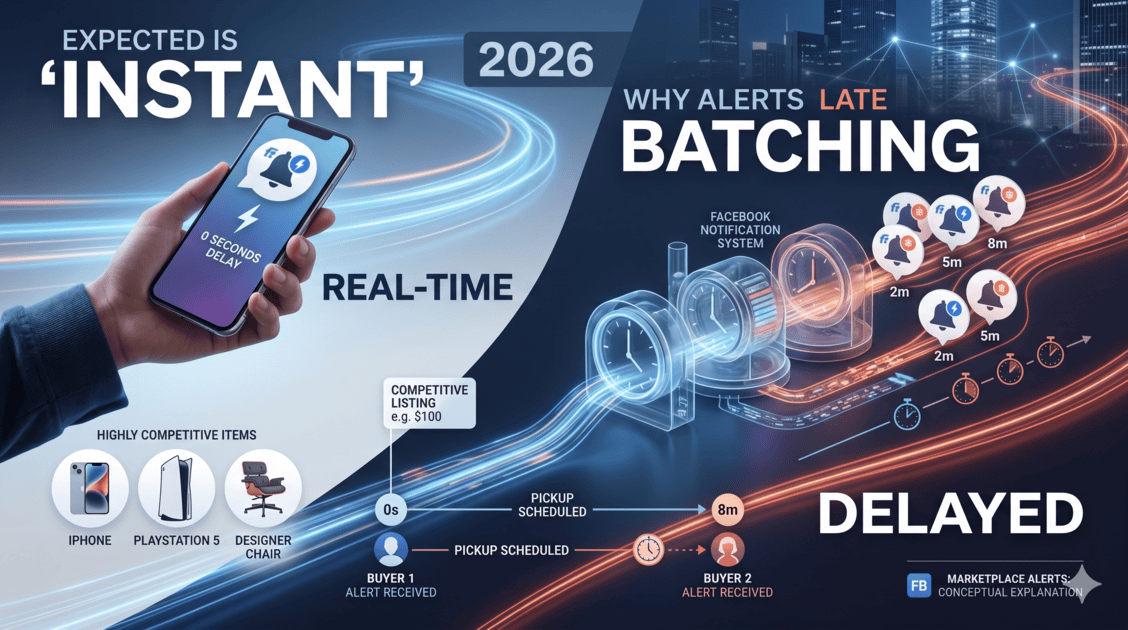
Facebook's notification system isn't built exclusively for hardcore Marketplace speed. The platform handles billions of interactions daily — messages, reactions, stories, ads, reels, groups, events, comments, and Marketplace activity, all flowing through the same massive pipe. Marketplace notifications are just one tiny piece of that machine.
Because of that, notifications often work in batches rather than true real-time delivery. Sometimes instant. Sometimes delayed by minutes. Occasionally much longer — like that one friend who always texts back "sorry just saw this" three days later.
The Usual Suspects When Alerts Fail
| Problem | What It Does to Your Alerts |
|---|---|
| Battery optimisation enabled | Delays notifications by throttling background activity |
| Background activity disabled | Alerts get missed entirely — app can't sync |
| Weak internet connection | Slow sync, delayed push delivery |
| Facebook app cache corruption | Random notification glitches and silent failures |
| Low-priority notification channel | Alerts arrive silently — no sound, no banner |
| Android sleep mode | Delays push notifications until phone wakes |
| Restricted mobile data | App can't refresh properly on cellular |
Samsung, Xiaomi, Oppo, Vivo, and Huawei are especially aggressive about background management. These manufacturers layer their own battery optimisation on top of Android's, creating a notification-killing sandwich that most users never even see.
Now imagine two buyers hunting the same PS5:
- Buyer A gets the alert instantly, messages the seller in eight seconds
- Buyer B gets the alert eight minutes later, composes a thoughtful message
Buyer A is loading the PS5 into their car while Buyer B is still typing. That's how brutal Marketplace speed has become.
Best Facebook Marketplace Alert Apps for Android in 2026
At some point, every serious Marketplace user arrives at the same uncomfortable realisation:
Native Facebook alerts alone aren't enough.
Not because they're terrible — they work fine for casual browsing. But "fine for casual browsing" and "fast enough to compete with professional flippers" are two wildly different standards. That gap created an entire market of dedicated monitoring tools designed specifically for speed, filtering, and real-time tracking.
🔍 Marketplace Monitor
For users who want comprehensive monitoring across multiple platforms. Marketplace Monitor's scanning system tracks listings across multiple search patterns and marketplaces simultaneously.
Especially useful for:
- Multi-category flippers
- Car resellers
- Local deal hunters
- eBay-to-Marketplace arbitrage
- Side-hustle sourcing
Instead of monitoring one keyword manually, users can track entire inventory patterns at scale. You can set up alerts across Facebook Marketplace, eBay, Craigslist, OfferUp, Kijiji, Gumtree, and more — all from one dashboard.
That's where flipping stops feeling like random luck and starts looking like data-driven sourcing.
⚡ Flipify
Known for instant alerts and fast resale sourcing. Popular among electronics flippers, sneaker resellers, local arbitrage users, and gaming console hunters. Behaves more like a "deal sniper" than a simple notification app — users create advanced watchlists and get pinged the moment relevant listings surface.
🎯 Swoopa
Targets aggressive resellers who prioritise speed above almost everything. Focuses on fast listing detection, near-instant notifications, and competitive local sourcing workflows.
A growing number of serious flippers now stack multiple systems simultaneously — Facebook saved searches, Android push alerts, Telegram notifications, monitoring apps, and even smartwatch buzzes. Sounds like overkill until you lose your fifth deal of the week to someone faster.
Advanced Facebook Marketplace Alert Strategies
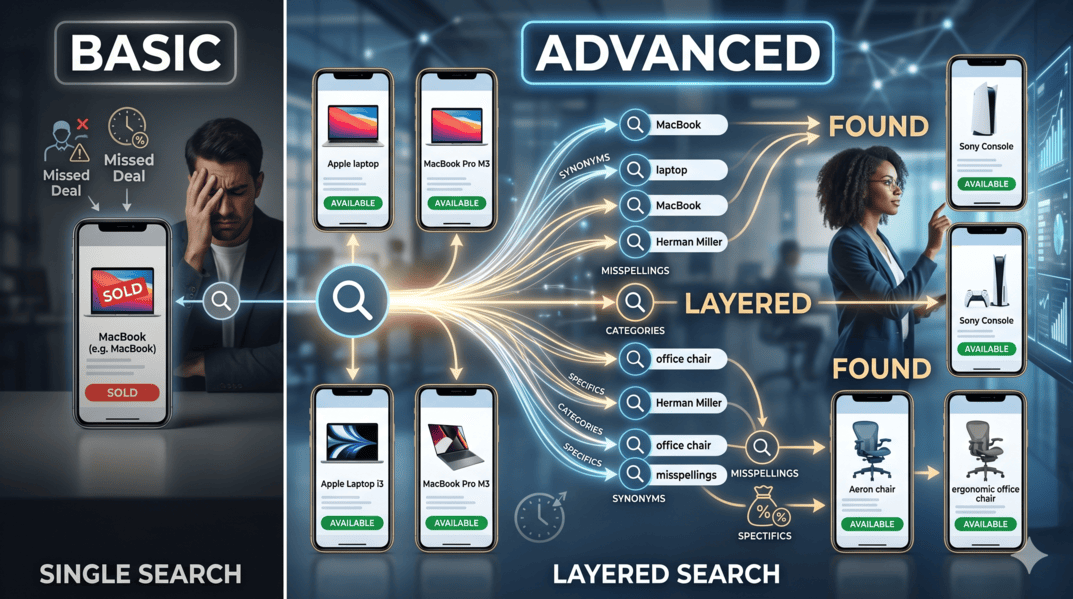
Basic alerts are great. They're the foundation. But the people who consistently win deals? They don't stop at the basics. They build layered systems — and the results speak for themselves.
Create 10–20 Saved Searches, Not Two
Most beginners create one or two saved searches. Experienced users create twenty. Why? Because sellers are fantastically inconsistent at naming things.
One person writes "MacBook Pro M3." Another writes "Apple laptop." Someone else types "Mac book" — two words, because apparently the space bar was feeling assertive that day. A few sellers misspell things so creatively it borders on performance art.
If your alerts only monitor exact phrasing, you're invisible to half the listings that match what you want. Build layered searches:
| What You Want | Keyword Variations to Save |
|---|---|
| PS5 | PS5, PlayStation 5, Play Station, Sony console, playstation5 |
| Office chair | Herman Miller, Aeron chair, ergonomic chair, mesh office chair, desk chair |
| iPhone | iPhone 15, Apple phone, unlocked iPhone, i phone, cracked iPhone |
| Sofa | couch, sofa, sectional, L-shaped sofa, lounge, settee |
Some dedicated monitoring tools handle multi-keyword tracking automatically — but even manually, this strategy dramatically expands your coverage.
Shrink Your Distance Radius
This sounds counterintuitive, but reducing your search radius often improves results. A tighter radius means less notification spam, more relevant listings, faster pickup logistics, and quicker seller responses. A lot of flippers fail because they monitor entire states instead of focusing on fast local opportunities. Marketplace is usually a speed game, not a volume game.
Use Telegram for Ultra-Fast Notifications
Some monitoring tools integrate with Telegram for near-instant alerts. Why Telegram? Because standard Android push notifications sometimes get delayed or grouped. Telegram alerts often feel faster and more immediate — they cut through battery optimisation and notification batching more reliably.
Serious car flippers and electronics resellers increasingly rely on Telegram integrations, webhook systems, and smartwatch alerts. Their phones essentially become live deal terminals running all day.
Monitor Multiple Platforms — Not Just Facebook
Limiting yourself to one marketplace is leaving money on the table. The same product priced high on Facebook might be listed cheap on Craigslist. A gaming console sitting unsold in one city might flip instantly on eBay. Geographic and platform arbitrage is real — and multi-platform monitoring is how you exploit it.
Consider also tracking Marktplaats, Kleinanzeigen, Leboncoin, and Subito if you're sourcing in European markets.
How Resellers and Flippers Actually Use Marketplace Alerts
Let's get specific. Because "people make money flipping" is vague, and vague isn't useful.
📱 Electronics Flipping
Still one of the hottest categories because demand stays high, listings move fast, and buyers constantly underprice items without realising it. iPhones, MacBooks, gaming PCs, GPUs, cameras, PS5 consoles, Nintendo Switch systems — all prime territory.
A fast alert means buying a ₹15,000 iPhone and selling it for ₹22,000 on eBay. A slow alert means reading "Sold" and developing a twitch in your left eye. Our phone flipping guide covers the complete sourcing strategy.
🚗 Used Car Flipping
Car flipping became insanely competitive on Marketplace. Clean-title vehicles below market value attract massive attention immediately. The first buyer to message with "cash today, can inspect this afternoon" almost always wins.
Successful car flippers monitor Honda Civics, Toyota Corollas, Ford trucks, diesel pickups, work vans, and SUVs below market value. Our ultimate car flipping guide breaks down exactly how they source profitably.
🪑 Furniture Flipping
Overlooked by most, loved by people who actually do it. Furniture is bulky — which scares off competition — but locally, the logistics are simple: no shipping, just pickup. People moving houses sell ₹30,000 sofas for ₹3,000 because they need them gone by Saturday. That urgency is your margin.
See our guides on flipping sofas and making money flipping couches for the full playbook.
Common Mistakes That Make Users Miss Deals
Most Marketplace users unknowingly sabotage themselves. They set up alerts, assume the job is done, and then wonder why their results look nothing like what the internet promised.
Mistake #1 — Using absurdly broad searches. Searching for "laptop" or "car" or "phone" isn't an alert strategy — it's subscribing to chaos. Get specific.
Mistake #2 — Ignoring Android battery settings. This one silently destroys notification performance on almost every Android brand. One toggle you never touched is costing you deals.
Mistake #3 — Monitoring too large an area. A 100km search radius creates overwhelming notification spam and slower decision-making. Tighten it.
Mistake #4 — Relying only on Facebook's native alerts. They're a starting point, not a complete system. Serious users layer saved searches + monitoring apps + Telegram alerts + Android optimisation.
Mistake #5 — Responding too slowly. Even the world's most perfectly configured alert system can't help you if you wait thirty minutes before messaging the seller. Marketplace rewards speed. Full stop.
Wrapping This Up
Facebook Marketplace in 2026 is a different animal than it was even two years ago. What used to be casual browsing evolved into a speed-driven local commerce ecosystem where timing quietly controls everything.
Android users have a genuine structural advantage — deeper notification control, better background management options, broader automation compatibility — but only if they actually use it. Default settings won't cut it. Not even close.
The full stack looks like this:
- Facebook notification settings — configured properly inside the app
- Android battery + background permissions — unrestricted for Facebook
- Manufacturer-specific optimisation — Samsung/Xiaomi/Oppo quirks handled
- Smart saved searches — multiple keyword variations, tight filters
- Monitoring tools — for speed and coverage beyond native alerts
- Fast response habits — pre-written messages, cash ready, immediate action
Get all six layers working and something genuinely changes. You stop frantically browsing. Deals arrive on your terms. You respond fast. You win more than you lose.
And Marketplace? It actually becomes fun again. Less anxiety, more "oh nice, another deal landed."
Not bad for ten minutes of setup.
Want alerts even faster than Facebook's native system? Marketplace Monitor scans listings 24/7 across Facebook Marketplace, eBay, Craigslist, OfferUp, and more — sending instant notifications the moment real deals appear.
Start Your Free Trial →