Your iPhone is either a deal-catching machine or an expensive paperweight. Let's fix that.
📑 What's Inside This Guide
- Why Facebook Marketplace Alerts Matter More in 2026
- How Marketplace Alerts Actually Work on iPhone
- Step-by-Step: Enable Marketplace Alerts on iPhone
- How to Create Marketplace Alerts That Actually Work
- The Hidden iPhone Settings That Slow Your Notifications
- Best Alert Strategies Used by Resellers
- Native Alerts vs Third-Party Monitoring Apps
- Why Notifications Sometimes Arrive Late
- The Psychology Behind Winning Deals Faster
- Conclusion
- FAQs
There's a feeling every Marketplace buyer knows intimately. It's 12:45 PM. You're on lunch. You open Marketplace, scroll for thirty seconds, and spot the exact thing you were hunting yesterday. A barely-used standing desk. ₹3,000. Your heart rate spikes. You tap the listing.
"Pending Pickup."
Two words. Maximum devastation.
Someone got there first. They didn't get lucky. They got notified. Their phone buzzed while they were brushing their teeth, they fired off a message in eleven seconds flat, and by the time you even opened the app, the deal was already wearing a "SOLD" sign.
That's Facebook Marketplace in 2026. It's not a garage sale anymore. It's a speed contest — and your iPhone is either working for you or you're bringing a butter knife to a sword fight.
The good news? Setting up proper Marketplace alerts on iPhone isn't complicated. The bad news? Almost everyone does it wrong, and the three or four iPhone settings that quietly sabotage your notifications are so well-hidden that Apple might as well have buried them in a time capsule.
This guide fixes all of that. Whether you're trying to flip phones for profit, score underpriced furniture, hunt used cars, or just stop losing deals to faster humans — we're going to turn your iPhone into something useful.
According to Meta's official documentation, users can now customize Marketplace notifications directly inside the Facebook app — including saved searches, listing activity, seller updates, and messages. The real trick is knowing how to configure everything correctly and avoiding the iPhone settings that quietly assassinate your notification speed.
Why Facebook Marketplace Alerts Matter More in 2026 Than Ever Before
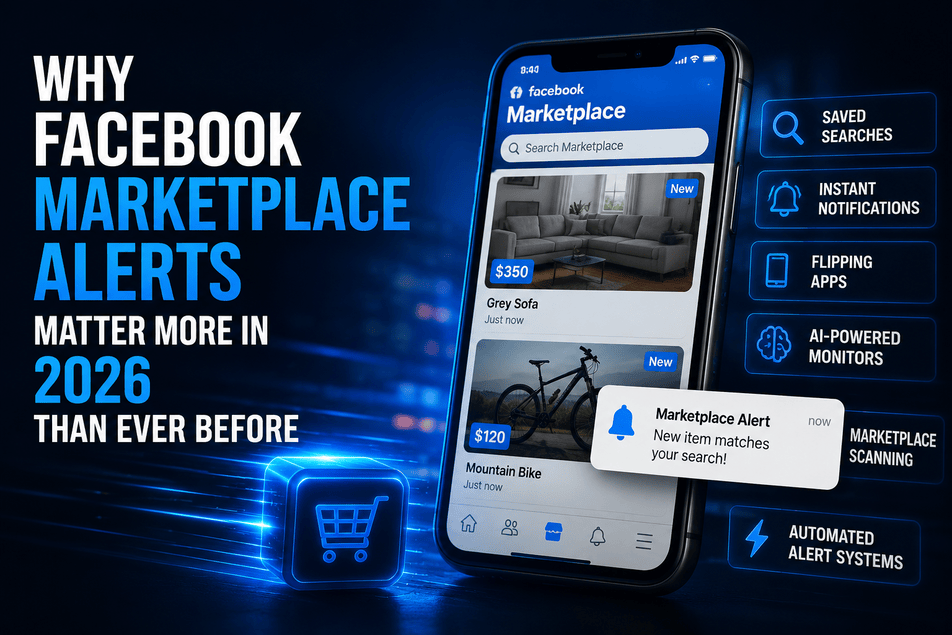
Remember when you could browse Marketplace after dinner and still find decent stuff sitting there untouched? That was 2021 energy. It's gone now. Evaporated. Someone said a prayer over it and it ascended.
Marketplace is now hyper-competitive because millions of buyers are running:
- Saved searches with push notifications
- Instant alert apps
- Marketplace bots and scraping tools
- AI-powered listing monitors
- Multi-city automated scanning systems
You've got bargain hunters. Side hustlers flipping on eBay and Craigslist. Full-time resellers who treat Marketplace like the New York Stock Exchange — monitoring listings across cities every waking hour. And then there's you, casually refreshing the app during ad breaks and wondering why everything good is already sold.
The uncomfortable truth? The biggest advantage isn't money. It's not even knowledge.
It's speed.
The first buyer to message almost always wins. Sellers rarely sit around comparing offers when someone says: "I can pick up today. Cash ready." Deal done. Handshake emoji. Move on.
You'll notice this speed gap most painfully in categories like gaming consoles, Apple products, cameras, furniture, motorcycles, tools, and sneaker collections. Good listings in these categories don't "sit" — they evaporate.
And once you actually start using alerts properly? Manually browsing Marketplace starts feeling like dial-up internet. Technically functional. Spiritually devastating.
How Facebook Marketplace Alerts Actually Work on iPhone
This part trips people up because — surprise — there isn't one notification system. There are like seven, all stacked on top of each other like a bureaucratic lasagna.
Most people assume Marketplace alerts are just regular Facebook notifications. They're not. Your iPhone notifications depend on a weirdly long chain of things all cooperating at the same time:
- Facebook app notification settings
- iOS notification permissions
- Your saved searches
- Push notification delivery (server-side)
- Background App Refresh (on or off?)
- Focus mode (the silent killer)
- Apple's notification summaries (the sneaky killer)
- Battery optimization behaviour (the sleeper agent)
If any single one of those breaks? Your alerts go from instant to useless. And the truly cruel part is that iOS never tells you something's wrong. There's no error message. Your notifications just… quietly stop arriving on time.
The simplified version: when you save a Marketplace search, Facebook starts watching for new listings matching that query. When something pops up, it pushes a notification to your iPhone. Simple enough on paper.
Except Apple's iOS sometimes delays background activity depending on your battery settings, Focus modes, or notification summaries. That's why some users get alerts instantly while others see them forty minutes late.
And in Marketplace terms? Forty minutes late is the same as not knowing at all.
According to Apple's Support documentation on Focus modes, Focus and notification summaries can delay or completely suppress app notifications depending on how they're configured. Most people don't even realise they accidentally enabled something that's throttling their alerts.
Step-by-Step: Enable Facebook Marketplace Alerts on iPhone
Total setup time: maybe ten minutes. The payoff: catching deals that the refresh-and-pray crowd will never see. Let's do this properly.
Update the Facebook App First
I know. Boring. But hear me out — Marketplace features change constantly, and notification bugs happen after iOS updates all the time. Running an outdated Facebook app is one of the easiest ways to silently break your alerts.
Open the App Store → search "Facebook" → tap Update if available.
Several Marketplace notification issues reported after iOS updates were resolved simply by updating the Facebook app afterward. It's the tech equivalent of "have you tried turning it off and on again" — except it actually works.
Turn On iPhone Notifications Properly
Navigate to:
Enable all of these:
- ✅ Allow Notifications
- ✅ Lock Screen
- ✅ Notification Center
- ✅ Banners
- ✅ Sounds
And critically:
- ✅ Immediate Delivery — enable this
- ❌ Scheduled Summary — disable this for Facebook
Apple's Scheduled Summary feature looks harmless. It's not. It quietly kidnaps your Marketplace alerts and bundles them into a digest that arrives forty-five minutes later. By which point the MacBook is sold, the seller has moved on, and you're staring at your phone wondering what happened to your life choices.
Also — enable sounds. That little audio ping matters more than you'd think. Experienced Marketplace buyers develop almost Pavlovian responses to notification sounds. Their thumb is moving toward the phone before their conscious brain even processes why.
Enable Marketplace Notifications Inside Facebook
Open Facebook and go to:
Turn on:
- ✅ Saved searches
- ✅ Listing updates
- ✅ Marketplace messages
- ✅ Seller updates
- ✅ Recommendations
According to Facebook's official Marketplace Help documentation, this is where notification preferences are managed inside the app.
The critical setting here is Saved Searches. That's the actual engine behind real Marketplace alerts. Without it, Facebook mostly sends generic recommendations — and generic recommendations are the junk mail of notifications. Nobody asked for them. Nobody wants them. They arrive anyway.
Create Your First Saved Search
Go to Marketplace → search for what you're hunting → apply your filters (location, price, category) → tap "Save" or "Notify Me."
That's your alert. Created. Active. Working.
But don't close this guide yet — because the difference between a useful alert and a useless one comes down to how you build the search. And that's the next section.
How to Create Marketplace Alerts That Actually Work
Most people create absolutely terrible Marketplace alerts. I say this with love, because I used to be one of them.
Too broad. Too vague. One keyword. No filters. Then they wonder why their phone is exploding with notifications for things they'd never buy in a million years.
Here's the thing about Marketplace sellers — they are magnificently inconsistent at naming things. Beautifully, chaotically bad at it.
Someone selling an iPhone might title their listing:
- "iPhone 15 Pro"
- "Apple phone"
- "iPhone"
- "15Pro" (no space, because why would there be?)
- "Unlocked phone"
- "i phone 15" (with a space, naturally)
- "Iphone fifteen" (I've seen this. I wish I hadn't.)
One saved search catches one variation. That's it. So if you're only saving "iPhone 15 Pro," you're missing every listing from the creative spellers of the world. And those listings often have the best prices because fewer people find them.
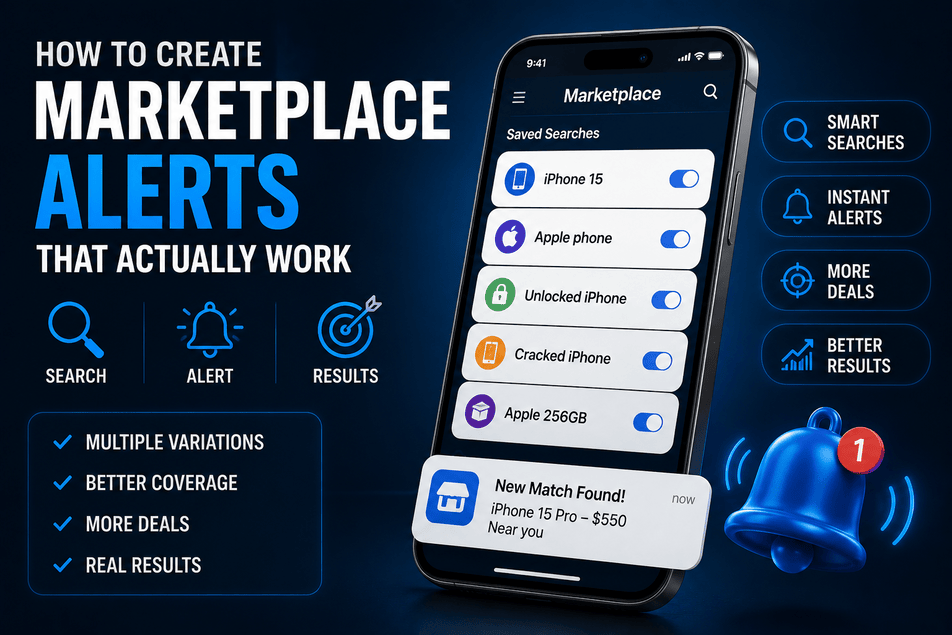
The fix? Create multiple overlapping searches:
| What You're Hunting | Search Variations to Save |
|---|---|
| iPhone deals | iPhone 15, Apple phone, unlocked iPhone, cracked iPhone, i phone |
| PS5 deals | PlayStation 5, PS5, Sony console, playstation, PS 5 |
| Furniture flipping | dresser, solid wood dresser, vintage furniture, wardrobe, cabinet |
| Car hunting | Honda Civic, Civic EX, used Honda, Honda sedan |
| Sofa flipping | couch, sofa, sectional, L-shaped sofa, lounge |
This dramatically expands your listing coverage. Five minutes of extra setup catches deals that single-keyword warriors will never see.
Some advanced Marketplace monitoring tools now handle multi-keyword tracking automatically with AI-powered filtering — specifically because seller naming is so wildly inconsistent. But even manually, the multi-keyword approach puts you miles ahead of most buyers.
And don't forget price filters. An alert without a price cap is like a smoke detector that goes off every time someone makes toast. Technically working. Practically useless.
The Hidden iPhone Settings That Quietly Destroy Your Marketplace Alerts
This is the section nobody checks. And it's usually the reason everything's broken.
🔋 Background App Refresh
If Background App Refresh is disabled for Facebook, iOS basically puts the app in a medically-induced coma whenever you're not using it. It still technically exists on your phone. It just stops doing anything useful in the background — including syncing notifications properly.
Turn it on. Right now. I'll wait.
🪫 Low Power Mode — The Silent Assassin
Low Power Mode is wonderful for battery life. It's a complete disaster for Marketplace alerts.
When Low Power Mode activates, iOS aggressively throttles background processes — including push notification delivery. Your alert might get queued, delayed, or batched. By which point some other buyer has already loaded the furniture into their car and is halfway home.
🌙 Focus Modes — The Real Villain of This Story
Focus modes are the single biggest hidden reason Marketplace alerts die. And because Apple redesigned Focus settings in recent iOS versions, a terrifying number of people have filters enabled that they set up accidentally during the initial setup wizard and never looked at again.
Either:
- Disable Focus temporarily when hunting deals
- Or explicitly add Facebook to your Focus mode's "allowed apps" list
I cannot overstate how often this is the problem. Users spend weeks troubleshooting, reinstalling apps, clearing caches, and performing what amounts to iPhone exorcisms — only to discover their Work Focus mode was silently murdering every Marketplace notification since March.
📋 Notification Summaries — The Sneaky One
If Facebook is included in your Scheduled Summary, your Marketplace alerts get folded into a "helpful" digest that arrives at a predetermined time. Which might be two hours after the deal was posted. Which means you're reading about a deal the same way you'd read about it in a newspaper. Historical interest only.
Remove Facebook from Scheduled Summary. Let those notifications hit immediately. That's the entire point.
Best Facebook Marketplace Alert Strategies Used by Resellers
This is where things get genuinely interesting. Because professional flippers don't browse Marketplace anymore. That's amateur hour. They build systems.
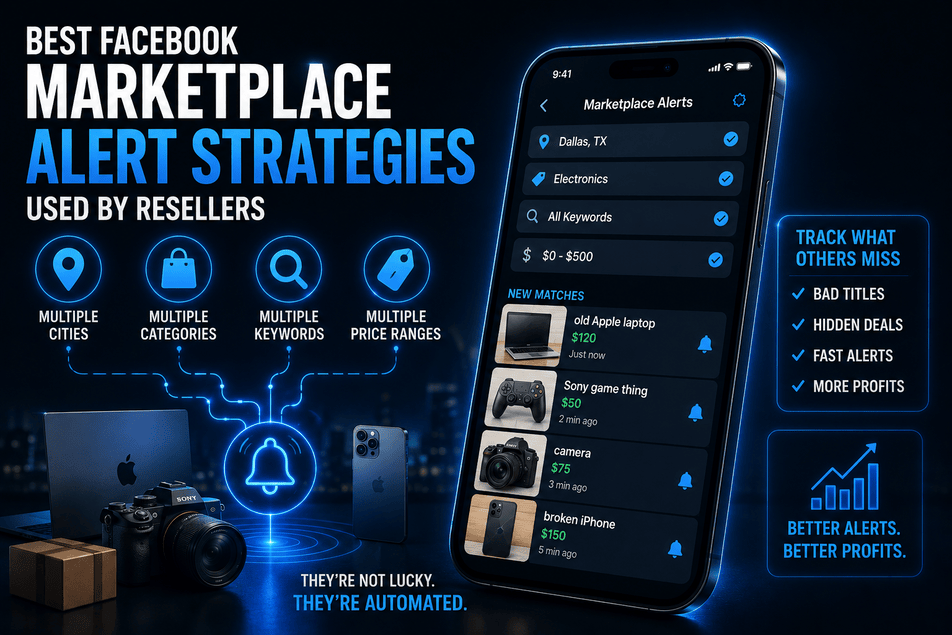
Some resellers are simultaneously monitoring:
- Multiple cities
- Multiple product categories
- Multiple keyword variations
- Multiple price brackets
All at once. That's why they seem impossibly fast. They're not lucky. They're not psychic. They're automated.
The "Badly Titled Listing" Strategy
This is a personal favourite. Resellers specifically target listings with terrible titles because inexperienced sellers frequently undervalue their stuff when they can't be bothered to write a proper description.
Alert-worthy gems include:
- "old Apple laptop" (could be a MacBook Pro worth ₹40,000)
- "Sony game thing" (PS5, anyone?)
- "camera" (sometimes a ₹60,000 mirrorless hiding behind a two-word title)
- "broken iPhone" (screen replacements cost ₹2,000 — the phone's worth ₹15,000)
Those vague, lazy titles are where the money hides. Especially from older sellers who genuinely have no idea what their stuff is worth on the current market.
Multi-Platform Monitoring
Smart resellers don't limit themselves to Marketplace. They run parallel alerts on:
- Craigslist
- OfferUp
- eBay
- Kijiji (Canada)
- Gumtree (UK/Australia)
- Marktplaats (Netherlands)
- Kleinanzeigen (Germany)
A gaming console sitting unsold in one city might flip instantly somewhere else. Geographic arbitrage is real, and multi-platform monitoring is how you exploit it.
Marketplace flipping in 2026 honestly feels closer to day trading than casual shopping. Speed wins. Information wins. The person refreshing the app manually? They're the one buying at retail prices while everyone else is grabbing deals at wholesale.
Native Facebook Alerts vs Third-Party Marketplace Monitoring Apps
Okay, honest question time. Do you actually need third-party tools?
For casual buyers: probably not. Facebook's built-in saved search system works surprisingly well once you've configured everything correctly (which — if you've followed this guide — you now have).
But for power users, flippers, and resellers who source inventory regularly? Native alerts start showing cracks.
| Feature | 📱 Facebook Native | 🔧 Third-Party Tools |
|---|---|---|
| Saved searches | Yes | Yes |
| Notification speed | Moderate (minutes) | Often faster |
| Multi-city monitoring | Limited | Advanced |
| AI filtering | Basic | Advanced |
| Keyword exclusions | Very limited | Full support |
| Cross-marketplace tracking | No | Yes |
| Scam/spam filtering | Minimal | Built-in |
| Automation tools | Minimal | Extensive |
Tools like Marketplace Monitor specifically target resellers who need faster detection, smarter filtering, and nationwide scanning across multiple platforms. If you're doing this at any kind of volume, the time savings alone make it worthwhile.
But even without tools, the manual setup in this guide puts you well ahead of anyone still doing the thumb-scroll-and-pray method.
Why Marketplace Notifications Sometimes Arrive Late (And How to Fix It)
Sometimes it's your phone's fault. Sometimes it's Facebook's fault. Sometimes it's nobody's fault and the universe just doesn't want you to have that ₹2,000 standing desk.
Common causes of delayed alerts:
- Facebook server congestion (especially during peak hours)
- Weak or unstable internet connection
- iOS background restrictions (see: every iPhone setting above)
- Notification batching by iOS
- Focus modes silently filtering alerts
- Facebook app bugs (they happen more often than Meta would like to admit)
- Battery optimization throttling background processes
- Restart your iPhone (the classic move)
- Reinstall the Facebook app (corrupted settings are more common than you'd think)
- Recreate your saved searches
- Re-check every notification permission — both in Facebook AND in iOS settings
- Make sure notification summaries are disabled for Facebook
Reinstalling the app fixes an embarrassing number of notification problems. It's the digital equivalent of unplugging something and plugging it back in. Not glamorous. Extremely effective.
The Psychology Behind Winning Marketplace Deals Faster
Here's the part nobody writes about — and it's arguably the most important section in this entire guide.
The people who consistently win Marketplace deals usually aren't smarter. They're not richer. They don't have secret insider information. They're simply faster at four things:
- Seeing listings — their alerts are configured properly (you now have this)
- Recognising value — they've spent enough time watching prices to know when something's genuinely underpriced
- Messaging immediately — no hesitation, no overthinking, no crafting the perfect opening paragraph
- Reducing friction — pre-written responses, cash ready, flexible on pickup times
Some resellers literally use copy-paste responses saved in their iPhone Notes app:
Why does this work? Because sellers hate uncertainty. Five buyers might message within ten minutes, but the one who sounds committed, specific, and ready to show up? That's the one who gets the reply.
And honestly, once your alerts become reliable, your entire buying behaviour shifts. You stop doom-scrolling Marketplace at midnight hoping to stumble onto something. You start reacting strategically — getting pinged, assessing in five seconds, messaging in ten. It's a completely different game.
Wrapping It All Up
Getting fast Facebook Marketplace alerts on iPhone in 2026 isn't about discovering one magic setting. There is no magic setting. (If someone tells you there is, they're selling something. Probably a course.)
It's a stack of things working together:
- Proper iOS notification setup — so alerts actually reach your phone
- Facebook settings configured correctly — so Facebook actually sends them
- iPhone's hidden saboteurs disabled — Focus modes, Low Power, summaries, Background App Refresh
- Smart saved searches — precise keywords, multiple variations, price filters
- Fast response habits — copy-paste messages, cash ready, immediate action
Get all five pieces right and something genuinely changes. You stop chasing. Deals start arriving. You respond fast. You win more than you lose. And Marketplace becomes — dare I say it — actually enjoyable again.
Which is more than I can say for most things involving Facebook in 2026.
Want alerts even faster than Facebook's native system? Marketplace Monitor scans listings 24/7 across Facebook Marketplace, eBay, Craigslist, OfferUp, and more — sending instant notifications the moment real deals appear.
Start Your Free Trial →