How to Set Up Facebook Marketplace Alerts (Step-by-Step Guide) in 2026
Because refreshing the app 47 times a day is not a strategy — it's a cry for help.
📑 What's In This Guide
- Why Facebook Marketplace Alerts Are the Advantage Most Buyers Ignore
- How Facebook Marketplace Alerts Actually Work
- Setting Up Alerts on Mobile (The Right Way)
- Desktop vs Mobile Alerts: What Works Better?
- Advanced Alert Strategies That Give You a Real Edge
- Common Mistakes That Quietly Kill Your Alerts
- Pro Tips to Get Deals Before Anyone Else
- Conclusion
- FAQs
Why Facebook Marketplace Alerts Are the Advantage Most Buyers Ignore
Okay, quick confession time. I used to be that person who refreshed Marketplace every twenty minutes like I was checking on a soufflé in the oven. Spoiler: it collapsed every time. The deal was gone, some speed demon had already messaged the seller, and I was left staring at "This item is no longer available" like it was a breakup text.
Here's what took me way too long to figure out — the people consistently snagging the best deals aren't faster clickers. They've got alerts doing the grunt work for them. Think of it like having a very eager intern who never sleeps, never eats, and definitely never complains about the coffee situation.
In 2026, Marketplace isn't the laid-back garage sale it used to be. You're up against resellers, phone flippers, furniture flippers, small business owners, and — let's be honest — people with seemingly nothing else to do all day. If you're manually searching? You're bringing a spoon to a knife fight.
Alerts flip the dynamic. You stop hunting. Deals start arriving. But — and this is the part nobody warns you about — badly configured alerts are arguably worse than no alerts at all. Getting 200 useless notifications a day trains your brain to ignore all of them, including the one that actually mattered.
So this guide isn't about flipping a switch. It's about building a system that respects your time and actually delivers results.
How Facebook Marketplace Alerts Actually Work (And Why Most People Misunderstand Them)
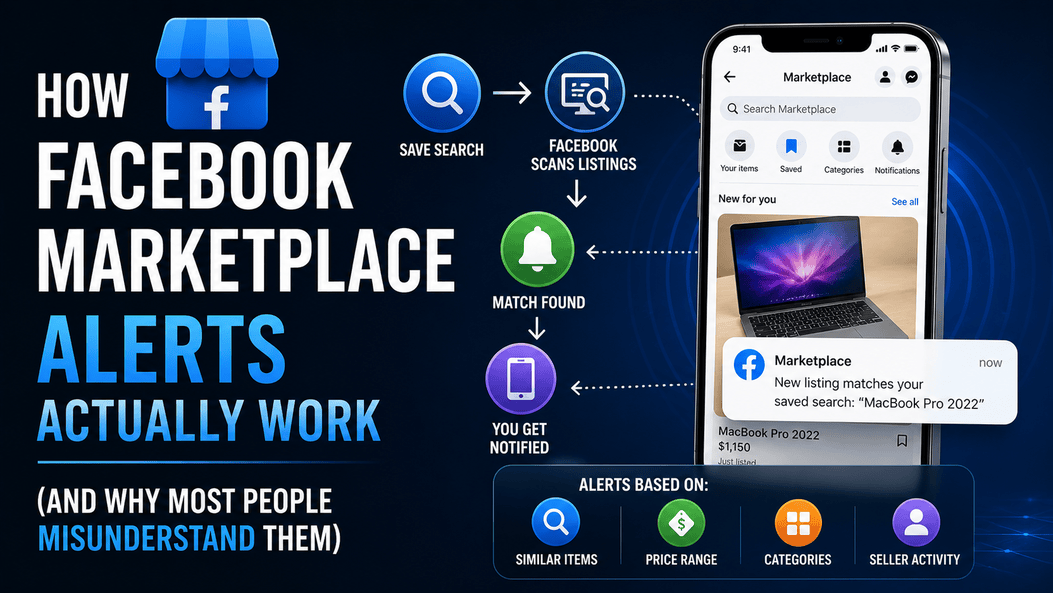
Here's a fun bit of trivia that trips up almost everyone — Facebook doesn't actually call them "alerts." Nowhere in the interface will you find a button that says "Create Alert." What you're really working with is a Frankenstein mashup of saved searches and notification triggers stitched together behind the scenes.
The mechanics go something like this: you search for something — say, "MacBook Pro 2022" — and hit save. Facebook's algorithm then starts comparing new listings against your saved query. Match found? Notification sent. Simple enough on paper.
If you want the official version of how all this works, Facebook's Marketplace notification settings guide spells it out — though I'd argue reading it is about as thrilling as reading terms and conditions on a toaster warranty.
But here's where things got genuinely interesting in recent years. Alerts aren't just matching keywords anymore. Facebook now layers in behavioural signals:
- Items similar to stuff you've been eyeballing lately
- Listings that land inside your usual price range
- Categories you keep gravitating toward (even when you told yourself you wouldn't)
- Seller activity patterns — the algorithm notices who posts what and when
So your alerts aren't static. They evolve. The more you use Marketplace, the smarter — and occasionally weirder — they get. I once got an alert for a taxidermied owl. I have never searched for owls. I'm still not sure what the algorithm was trying to tell me.
Step-by-Step: Setting Up Facebook Marketplace Alerts on Mobile (The Right Way)
Right. Enough theory. Let's actually build this thing. I'm going to walk through this on mobile because — spoiler for the section ahead — desktop alerts are the participation trophy of the notification world.
Start With a Precise Search (Seriously — This Part Matters)
Open the Facebook app. Tap Marketplace. And then — before your fingers start typing — stop for half a second and think about what you're actually looking for.
Most people type something tragic like "laptop" or "sofa." That's the search equivalent of walking into a supermarket and yelling "FOOD!" Sure, you'll get results. You'll get thousands of results. Most of them useless.
Try these instead:
- "MacBook Air M2 2023" — not just "MacBook"
- "IKEA L-shaped sofa grey" — not just "sofa"
- "iPhone 14 Pro Max 256GB" — not just "iPhone"
The more specific your search, the more useful your alerts. Garbage in, garbage out. That's not just a tech saying — it's a lifestyle warning.
Apply Filters Like You Actually Care About the Results
Your search results are loaded. Resist the urge to immediately hit save. We're not done yet.
Set your filters:
- Location radius — tighten this unless you enjoy driving 90 minutes to pick up a ₹500 chair
- Price range — this single filter eliminates probably 60% of the noise
- Category — keeps you from getting alerts about sofas when you searched for a Macbook (it happens more than you'd think)
This step is the difference between alerts that make you money and alerts that make you miserable. Take the extra 30 seconds.
Save the Search (Your Alert Trigger Point)
Look for the "Save" or "Notify Me" button near the top of your search results. Tap it.
That's technically your alert — created. Facebook will now track new listings matching your criteria. But we're not celebrating yet because there's one more step that trips up an embarrassing number of people.
Turn On Notifications (The Step That 70% of People Skip)
You can set up the most beautiful, perfectly refined alert in the history of alerts — and never hear a single ping from it. Why? Because your notifications are probably off.
Go to:
Settings → Notifications → Marketplace
Make sure everything relevant is switched on. Check both in-app and push notifications. If you want a more thorough walkthrough, this step-by-step Marketplace notification guide from Facebook covers all the toggle points.
Also check your phone's notification settings for the Facebook app. I've seen people troubleshoot for weeks before realising their phone's Do Not Disturb mode was silently sabotaging everything. We've all been there. No judgement.
Desktop vs Mobile Alerts: What Actually Works Better?
I'll save you the suspense. Mobile wins. It's not even close. But let's look at the numbers anyway because I already made the table and I'm not deleting it.
| Feature | 📱 Mobile App | 🖥️ Desktop |
|---|---|---|
| Notification speed | Near-instant push | Slight delay (browser-dependent) |
| Reliability | Consistently high | Varies — depends on whether you left the tab open |
| User experience | Smooth, one-tap to listing | Clunky, slower response flow |
| Best for | Serious buyers, resellers, flippers | Casual browsing, research |
Desktop isn't useless — it's fine for browsing and research. But if you're trying to actually win deals, relying on desktop notifications is like bringing a bicycle to a Formula 1 race. You'll technically be on the track, but you're not finishing first.
Advanced Alert Strategies That Give You a Real Edge
Alright, basics are handled. Now let's talk about the stuff that actually separates casual browsers from people who consistently land great deals.
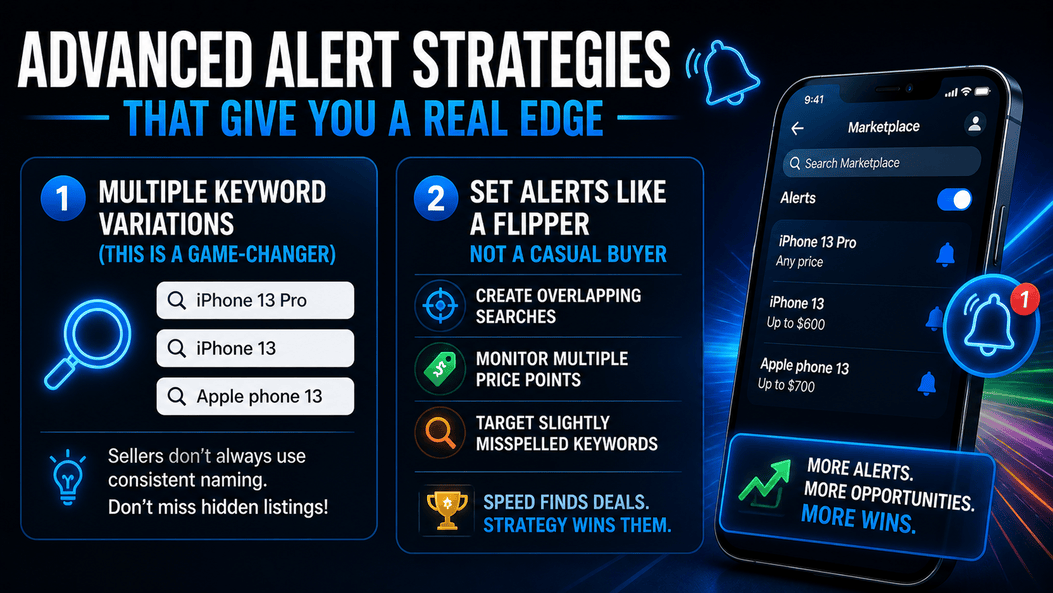
Use Multiple Keyword Variations (This One's Massive)
Here's something that seems obvious once you hear it but almost nobody does — sellers are terrible at naming things. Wonderfully, creatively terrible.
The same item might be listed as:
- "iPhone 13 Pro"
- "iPhone 13"
- "Apple phone 13 pro"
- "i phone 13" (yes, with a space)
- "Iphone thirteen" (someone did this, I promise you)
One saved search catches one variation. You need multiple. Create 3–5 variations for each product you're tracking. It takes five extra minutes but dramatically increases your hit rate.
This exact problem is why automated marketplace alert tools exist — they track all variations simultaneously without you needing to create 15 separate saved searches. But even manually, the multi-keyword approach gives you a massive advantage.
Set Alerts Like a Reseller, Not a Casual Browser
If you're flipping cars, flipping couches, or doing any kind of regular sourcing, your alert strategy needs layers:
- Overlapping searches — different keywords covering the same product
- Multiple price brackets — one alert for below ₹5K, another for ₹5K–₹10K
- Misspelling alerts — "Makbook," "Samung," "Nintedo" — you'd be amazed what turns up
For people who do this at scale, tools like Facebook Marketplace bots and Marketplace scraping tools handle this automatically. But the manual version still works — it just requires more upkeep.
Don't Forget: Other Platforms Have Deals Too
Facebook Marketplace gets the spotlight, but limiting yourself to one platform is leaving money on the table. Smart resellers also set up alerts on:
- Craigslist
- OfferUp
- eBay
- Kijiji (Canada)
- Gumtree (UK/Australia)
The wider your net, the more deals swim into it. That's not a metaphor I'm particularly proud of, but it's accurate.
Common Mistakes That Quietly Kill Your Alerts
These are painfully common. I know because I've made every single one of them. Some of them twice.
- Notifications disabled at the device level — your alert is screaming into the void and you can't hear it
- Searches so broad they're meaningless — "electronics" is not a useful alert. That's just subscribing to chaos.
- No price filters — congratulations, you now know about every ₹50,000 TV in your city
- Not checking alerts quickly enough — an alert you read three hours later is just a news story about a deal someone else got
- Setting it and forgetting it — alert strategies need occasional tuning as your sourcing focus changes
Here's the uncomfortable truth: most alert failures aren't technical. They're behavioural. The system actually works — most people just don't use it properly. Kind of like gym memberships, come to think of it.
Pro Tips to Get Deals Before Anyone Else Even Sees Them
This is the section where we separate the tourists from the locals.
Alerts get you to the listing. But what happens in the next 30 seconds determines whether you get the deal or someone else does. I've lost good deals while composing what I thought was a "friendly, professional" opening message. Turns out the seller didn't want an essay — they wanted to know I was coming.
When a notification hits:
- Open it immediately. Not "after this episode." Not "when I get a chance." Now.
- Message the seller within seconds. Keep it short: "Hi, I'm interested. Is this still available? I can pick up today."
- Don't negotiate in the first message. Secure the conversation first. Haggle later.
The first message almost always wins. Not the best message. Not the most polite message. The first one.
If you're sourcing inventory seriously — whether that's phones, sofas, or cars — the combination of properly configured alerts plus fast response habits is what separates people who make money from people who bookmark articles about making money.
(No shade. We all start somewhere.)
Wrapping It Up
Setting up Facebook Marketplace alerts isn't rocket science. But — and I can't stress this enough — doing it well is where most people silently fail. The difference between "I set up alerts" and "I built a system that actually catches deals" comes down to precision in your searches, discipline in your filters, and obsessive attention to your notification settings.
Once all three pieces click into place, something genuinely changes. You stop doom-scrolling through Marketplace at midnight. Deals show up in your pocket. You respond fast. You win.
And honestly? That's when Marketplace becomes fun again. Less anxiety, more "oh nice, another deal landed."
Not a bad upgrade from the soufflé method.
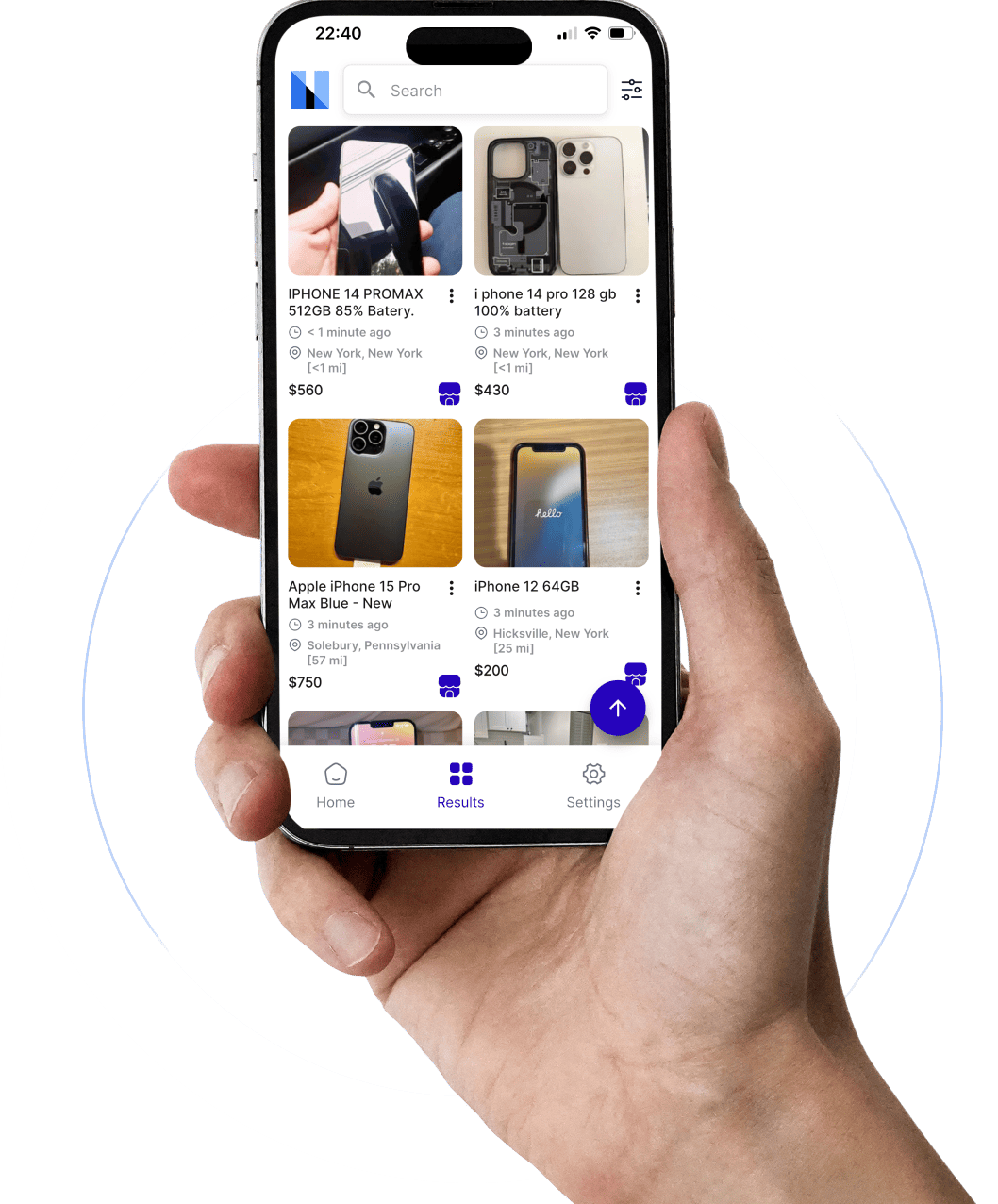
Tired of manual refreshing? Marketplace Monitor scans listings 24/7 across Facebook Marketplace, eBay, Craigslist, OfferUp, and more — sending you alerts the moment real deals appear.
Start Your Free Trial →